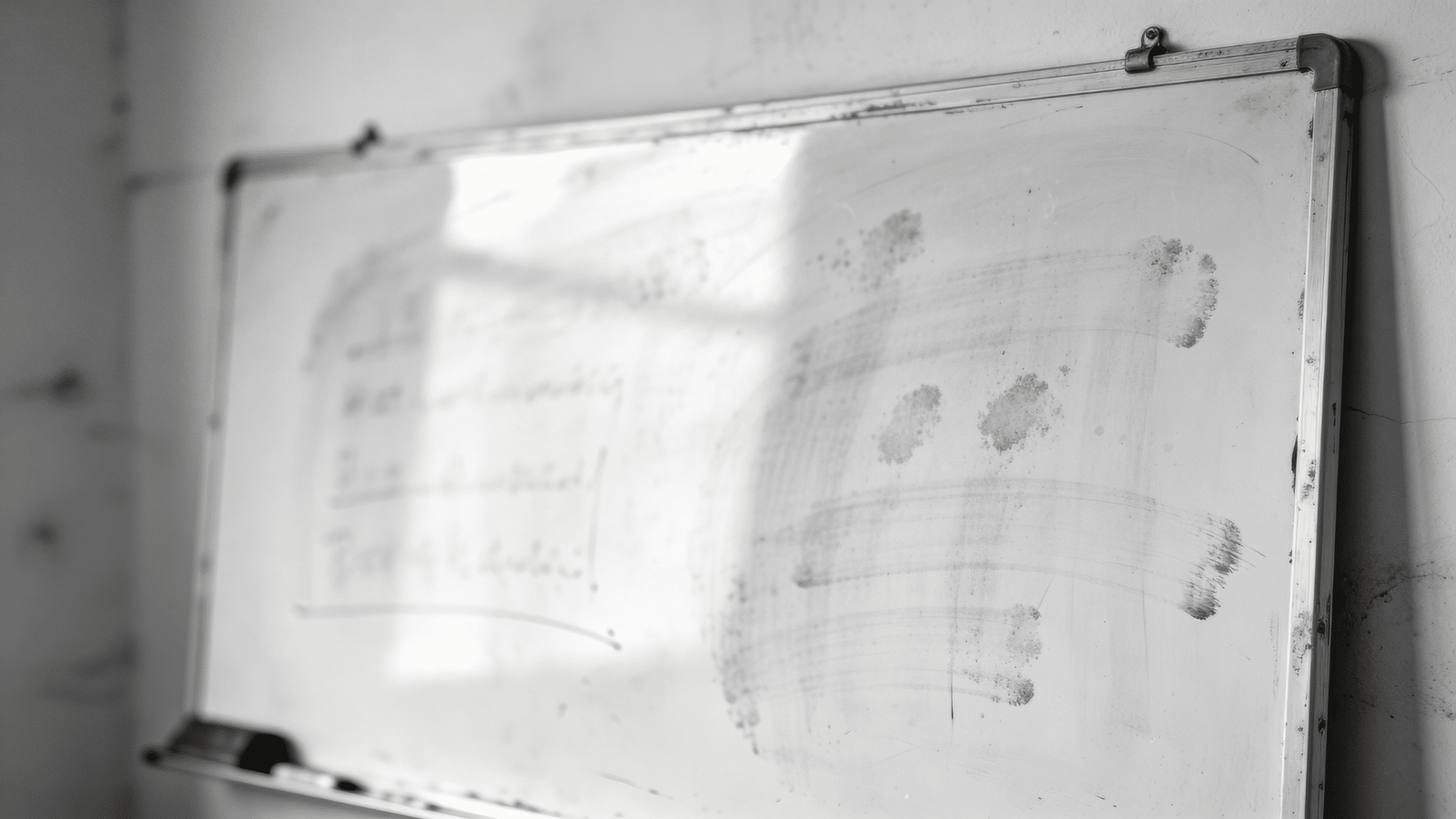
A whiteboard that won’t erase cleanly has a damaged or contaminated surface — not a board that’s worn out. Ghost marks, streaks, and stains come from marker residue and oils building up in the surface pores. The fix is isopropyl alcohol or a whiteboard-specific cleaner applied with a soft cloth. This guide covers daily cleaning, deep cleaning ghost marks, removing permanent marker, and restoring a neglected whiteboard.
What You’ll Need
- Isopropyl alcohol (70% or 90%)
- Whiteboard cleaner spray (optional)
- Dry-erase marker (for the permanent marker trick)
- Microfiber cloth or soft lint-free cloth
- Whiteboard eraser
- Whiteboard conditioner or restorer (for neglected boards)
- Mild dish soap and water (for general cleaning)
Safety and Precautions
Do not use paper towels on whiteboards — the wood fiber scratches the surface over time and creates micro-grooves where marker residue collects. Avoid abrasive cleaners, scrubbing pads, or anything with grit — these permanently damage the whiteboard coating. Never use acetone or nail polish remover — they dissolve the melamine surface layer. Keep isopropyl alcohol away from open flames and use in ventilated areas.
Daily Cleaning: Regular Erasing and Wipe-Down
Erase While Fresh
Wipe the board with a felt whiteboard eraser immediately after use or at the end of the day. Dry-erase markers are designed to wipe off while the ink is fresh. The longer marker sits on the board, the more the solvent evaporates and the harder the pigment bonds to the surface — leading to ghost marks.
Wipe Down with a Damp Microfiber Cloth
After erasing, wipe the entire board surface with a slightly damp microfiber cloth. This removes the fine dust layer left by erasing and prevents it from embedding into the surface coating. Dry immediately with a second clean microfiber cloth — leaving water on the board accelerates surface degradation.
Removing Ghost Marks and Streaks
Apply Isopropyl Alcohol to a Microfiber Cloth
Pour isopropyl alcohol (70% or 90%) onto a clean microfiber cloth — don’t spray directly onto the board if you can avoid it (overspray can damage surrounding surfaces or run into the board frame). The cloth should be damp with alcohol, not dripping.
Wipe in Circular Motions Over Ghost Areas
Wipe the ghost-marked areas using small circular motions. Isopropyl alcohol dissolves the dried marker resin that’s bonded to the surface. You should see the ghosting lift almost immediately. Work section by section across the board.
Follow with a Dry Microfiber Cloth
Before the alcohol fully evaporates, wipe the area with a dry microfiber cloth to remove the dissolved residue. This prevents it from re-depositing as the alcohol evaporates. Buff to a streak-free finish.
Repeat for Stubborn Ghost Areas
Severe ghosting from months of accumulated residue may require two or three passes with alcohol. Each pass dissolves another layer of built-up marker residue. Don’t scrub harder — let the alcohol do the dissolving and use light pressure.
Removing Permanent Marker from a Whiteboard
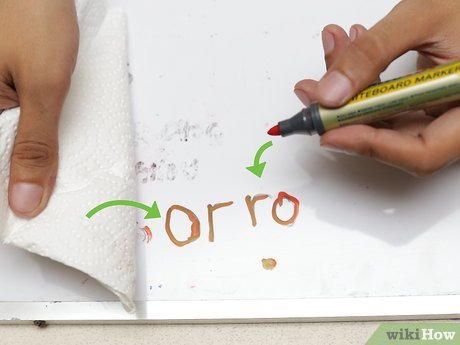
Accidentally writing on a whiteboard with a permanent marker is more fixable than most people think. Here’s the counterintuitive method that works:
Trace Over the Permanent Marker with a Dry-Erase Marker
Use a dry-erase marker to completely cover the permanent marker marks. Trace directly over them, covering every bit of the permanent marker ink with dry-erase ink.
Erase Immediately While Wet
Before the dry-erase ink dries, wipe with the whiteboard eraser. The solvent in the dry-erase marker reactivates the permanent marker underneath, and both wipe away together. This works because the solvents in dry-erase ink are the same solvents that make dry-erase markers erasable.
Follow with Isopropyl Alcohol
After removing the bulk of the permanent marker with this method, wipe the area with isopropyl alcohol on a microfiber cloth to remove any remaining residue.
Deep Cleaning a Neglected Whiteboard
A whiteboard that hasn’t been properly cleaned in months — heavy ghosting, yellowing, or a visibly hazy surface — needs a more thorough approach.
Apply Whiteboard Cleaner or Alcohol Across the Entire Surface
Apply isopropyl alcohol or a commercial whiteboard cleaner spray to the entire board surface. Work in sections from top to bottom so you’re not dripping solution onto already-cleaned areas.
Wipe with Microfiber in Overlapping Passes
Use overlapping horizontal passes with a microfiber cloth to clean the surface systematically. Fold the cloth to expose a fresh section as each face becomes saturated with dissolved residue.
Apply Whiteboard Conditioner or Restorer
Once the board is clean and dry, apply a whiteboard conditioner (sometimes called whiteboard restorer or dry-erase conditioner). These products fill micro-scratches in the surface and create a thin protective layer that makes future erasing easier. Apply with a soft cloth, let sit for two minutes, then buff off.
Whiteboard Cleaning Products Comparison
| Product | Best For | Notes |
|---|---|---|
| Isopropyl alcohol (70–90%) | Ghost marks, daily cleaning | Most effective, readily available |
| Whiteboard cleaner spray | Regular maintenance | Convenient; less effective on heavy buildup |
| Dry-erase marker trick | Permanent marker removal | Surprisingly effective |
| Whiteboard conditioner | Restoring neglected boards | Use after deep cleaning |
| Diluted dish soap | General grime and oils | Mild; good for frame and tray |
Cleaning the Whiteboard Eraser and Tray
A dirty eraser deposits old ink back onto the board instead of cleaning it. Tap the eraser outside to dislodge loose chalk-like powder, then wipe the eraser face with a damp microfiber cloth. For felt erasers that have absorbed a lot of ink, wash them under running water with a small amount of dish soap, rinse thoroughly, and allow to dry completely before using on the board again. Clean the marker tray with a damp cloth; dried marker ink in the tray can transfer back onto markers and boards.
Pro Tips
- Never use water alone on ghost marks: Water doesn’t dissolve dried marker resin. You need a solvent — isopropyl alcohol is the standard.
- Avoid leaving caps off markers: Dry-erase markers that have dried out leave much harder-to-erase marks. Keep caps on whenever the marker isn’t in use.
- Label your markers: Keep permanent markers in a separate location from dry-erase markers to prevent the accidental swap that results in permanent marker on the whiteboard.
- Clean the eraser weekly: A marker-saturated eraser is the fastest way to spread ghost marks across your entire board.
Frequently Asked Questions
Why won’t my whiteboard erase cleanly?
Ghost marks and poor erasing are caused by marker residue built up in the board’s surface pores, a dirty or saturated eraser, or using low-quality markers that don’t fully re-dissolve. Wipe the board with isopropyl alcohol to remove the residue layer, and replace the eraser if it’s heavily saturated.
Can I use hand sanitizer to clean a whiteboard?
Yes — alcohol-based hand sanitizer works as a whiteboard cleaner in a pinch because it contains isopropyl or ethyl alcohol. Apply a small amount to a cloth and wipe. Avoid gel-based sanitizers as they can leave a sticky residue. This is a workable substitute when you don’t have isopropyl alcohol on hand.
How do I get rid of the smell of whiteboard cleaner?
The alcohol smell dissipates within a few minutes as it evaporates. Ensure adequate ventilation while cleaning. The smell doesn’t linger once the alcohol has dried completely.
Is there a way to restore a badly scratched whiteboard?
Deep scratches in the melamine surface of a whiteboard cannot be fully repaired at home. Whiteboard conditioners and restorers help with micro-scratches and surface haze, but significant scratching means the surface coating is compromised. At that point, resurfacing with a whiteboard paint or panel replacement is the long-term solution.
How often should I deep clean my whiteboard?
In a classroom or office environment with daily use, do a full isopropyl alcohol wipe-down weekly. Apply whiteboard conditioner monthly. In lighter-use home environments, a full alcohol clean monthly and conditioning every two to three months is sufficient.
Conclusion
A whiteboard that erases cleanly is a function of surface condition and regular maintenance — not the age of the board. Isopropyl alcohol is your primary cleaning tool for ghost marks and streaks, the dry-erase marker trick handles permanent marker accidents, and a whiteboard conditioner keeps the surface functioning like new. Stay consistent with daily erasing and weekly wipe-downs and you’ll never need a heavy restoration session. For other surface cleaning guides, check out our article on how to clean a marble top table — another hard surface that needs gentle, specific care to maintain.
